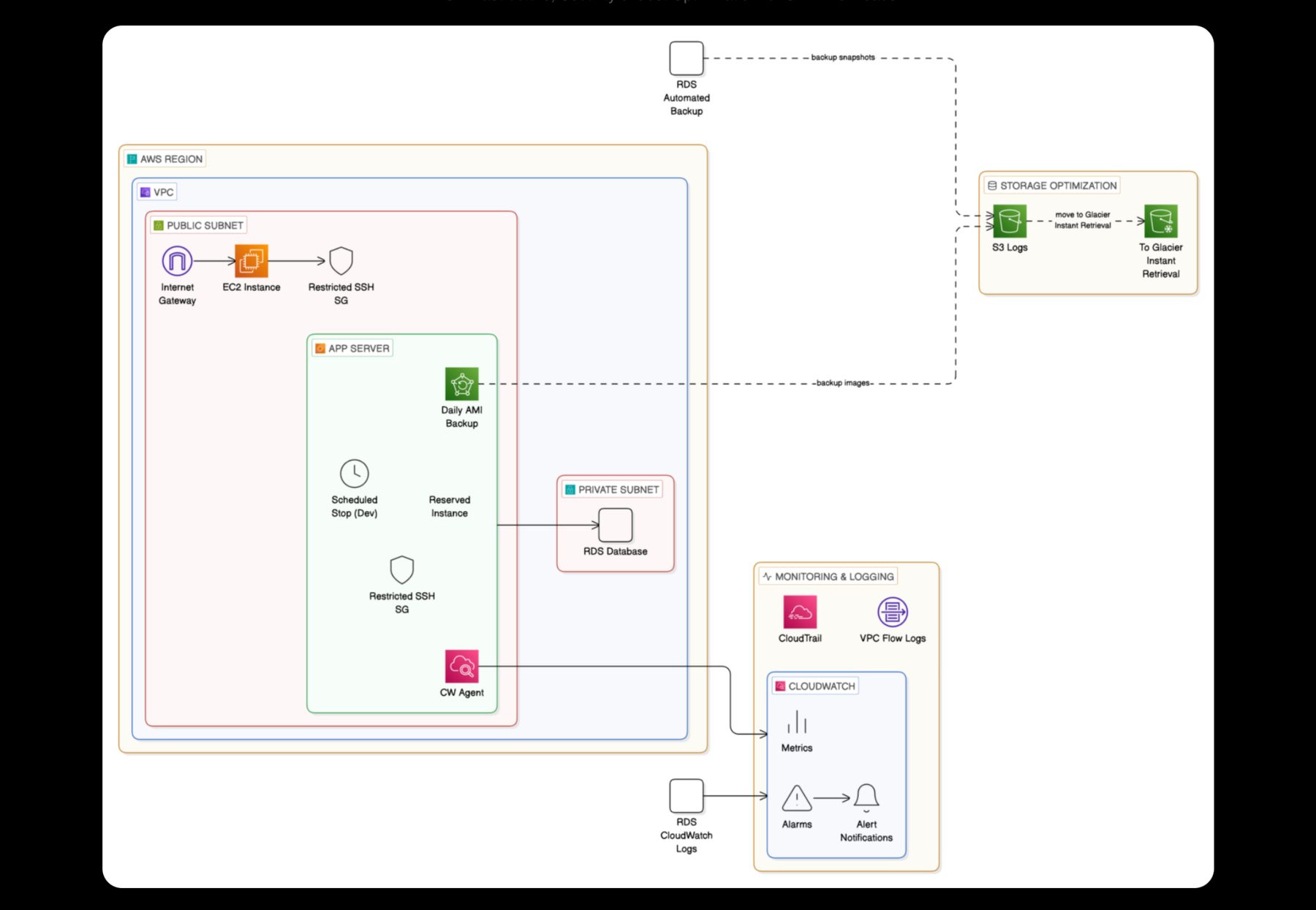





How the data moves
| Before | After | |
|---|---|---|
| Where the data lived | Office systems only | Office systems plus an off-site copy in Amazon S3 |
| How copies were made | Needed a reliable, automated way | Automatic sync with Seafile |
| Older versions | Not kept off site | S3 versioning keeps earlier versions |
| Long-term copies | No archive tier | Lifecycle rules move older data to S3 Glacier |
| Security | To be designed | Encryption, IAM policies and access controls |
The client
Dynawiild Engineering makes architectural and structural metal products.
The challenge
The company needed a reliable, secure and cost-effective way to copy critical business data from its on-premises systems to the cloud for disaster recovery, automatically. It also had to keep working as the amount of data grew, without the copies ever drifting out of date.
Versions, not just copies
A file gets encrypted by ransomware on day 5
Drag to the day you want to restore from.
Illustration of how S3 versioning works.
What we did
- 1Discovery and gap analysis
We reviewed the existing setup, what data mattered most and where the gaps were.
- 2Automatic sync
We installed and configured Seafile to synchronise the business data to the cloud without manual steps.
- 3A well-run S3 bucket
Versioning keeps earlier copies of every file. Lifecycle rules move older data to S3 Glacier for low-cost archiving. Access controls limit who can reach it.
- 4Security
Data is encrypted, and IAM policies give each person and system only the access it needs.
- 5Training
We trained the client’s team to manage and monitor the setup themselves.
- 6Ongoing care
We keep optimising the setup and report regularly on performance and cost.
Built with
- Seafile
- Amazon S3
- S3 Glacier
- IAM
The result
Critical business data is copied off site automatically, so a fire, theft or failed server in the office no longer means lost work.
Earlier versions are kept, so a file that is overwritten or encrypted by ransomware can be restored from before the problem.
Older data moves to a cheaper archive tier on its own, keeping storage costs in check as data grows.
The data is encrypted and access-controlled, and the client’s own team can run it day to day.
What other teams can take from this
- Disaster recovery starts with one off-site copy that updates itself Manual backups get skipped.
- Keep versions, not just the latest copy Ransomware and accidental overwrites sync too.
- Let lifecycle rules manage cost so the archive doesn’t become the biggest line on the bill.
Questions people ask
What did DevOps TechLab set up for Dynawiild Engineering?
Automatic sync of business data from its office systems to Amazon S3 using Seafile, with versioning, lifecycle rules to S3 Glacier, encryption, IAM policies and training for its team.
Why keep versions as well as a copy?
If a file is overwritten or encrypted by ransomware, the damaged version syncs too. Versions let you restore the file from before the problem.
Is S3 Glacier suitable for disaster recovery?
For older data you rarely need, yes: it costs much less to store. Recent data stays in standard S3 so it can be restored quickly.
Is your business data copied off site today?
Book a 20-minute review. We check what is backed up, how often, and how long a restore would really take.